
Slate has 10x’d our output and our social media channels are performing better because of the consistency they’ve been able to establish!

Gemma Donahoe
Social Media Producer at Mamamia
Vertical Video
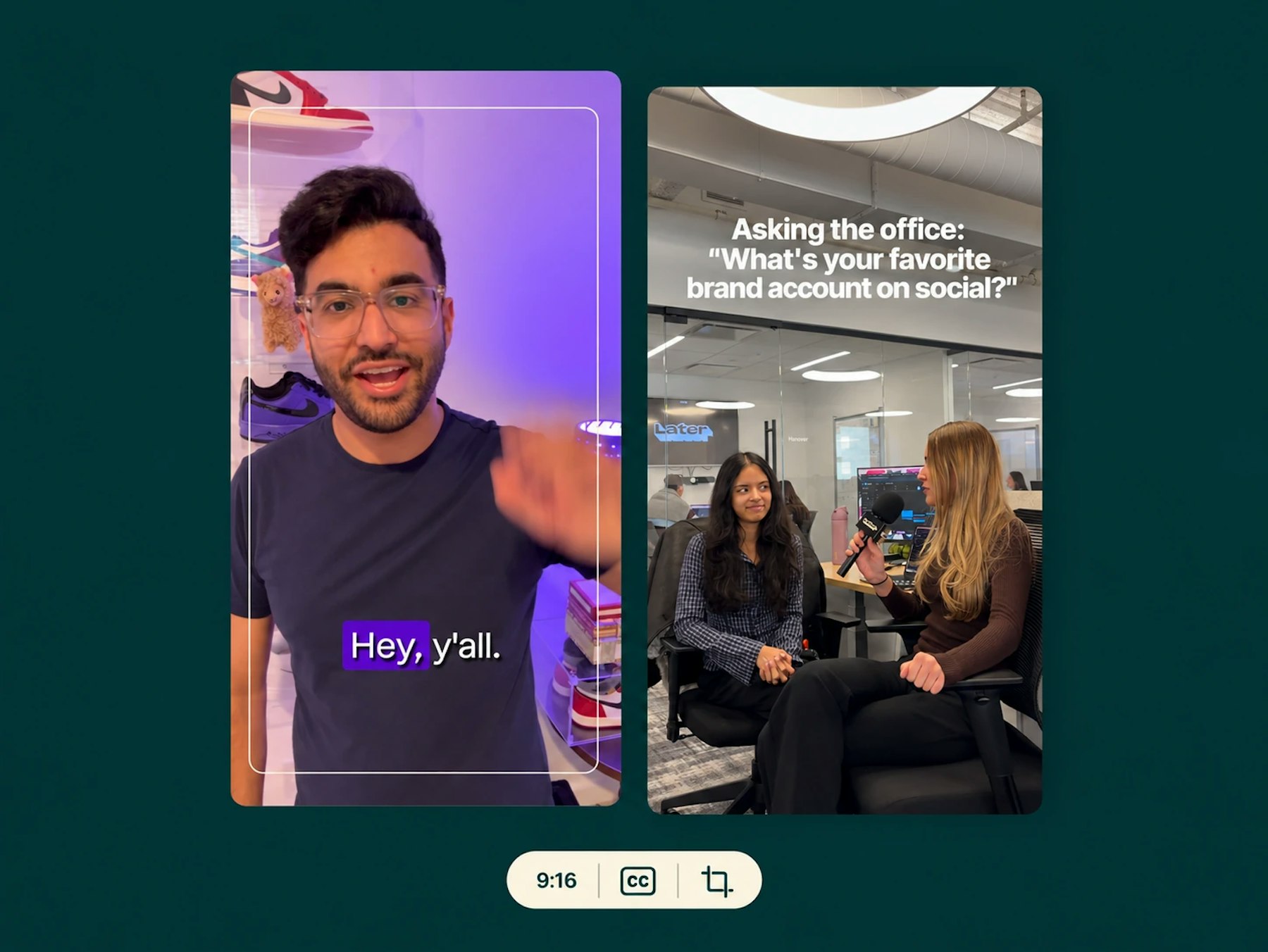
Reels, TikTok, Shorts, Stories. Slate takes the footage you have, horizontal broadcast or phone-shot, and turns it into vertical video with the subject centered, captions in your style, and safe zones clear, from the browser or the phone. The format your audience watches, from the content you already have.

Turn 16:9 into 9:16 with the speaker kept in frame, and extend a background to fill the shot instead of cropping it.

Word-by-word pop, highlights, karaoke fills, in your brand’s fonts and colors, placed clear of the platform UI.

Export sized for Reels, TikTok, Shorts, and Stories from one timeline, with your overlays and licensed music applied.

“Chop this down for Reels and center every speaker. in 9x16” Rio edits your real footage on a real timeline, in your brand.
Slate has 10x’d our output and our social media channels are performing better because of the consistency they’ve been able to establish!
Gemma Donahoe
Social Media Producer at Mamamia

What would have taken days, I finished in just a few hours without sacrificing quality using Slate.

Angela Leaf
Product Communications at Atlassian

It is clear Slate was made by people who understand the needs of social media teams.

Sarah Morse
Director of Social at Vanity Fair

Slate helps our social team move faster without relying on a designer. We’re now producing 5x more videos a week, testing and optimizing in real time.

Chas Truslow
Global Head of Organic Social, Burton at Burton

Slate is a total game changer for our content team

Adena Jones
Director of Social & Digital at New York Knicks

This tool is incredible. This is actually incredible.

Julia Stern
Social Media Lead at Amazon

We did one season without Slate and it changed our lives when we got it.

Daniel Venn
Social Media Manager at St. Louis Cardinals

We couldn’t have done everything we’ve done without Slate. Our social engagement is up across the board, and more of our team can now contribute creatively.

Slate helps us move fast. When the Knicks won the NBA Championship, I captured their return to New York and edited it in Slate. FOS was first to post, and that speed made all the difference.

Christine Thuruthiyil
Director, Social at Front Office Sports

Slate is a tool that allows us to move very quickly and on brand when it comes to social creation.
Try Slate for free and see how quickly your team can go from idea to publish.