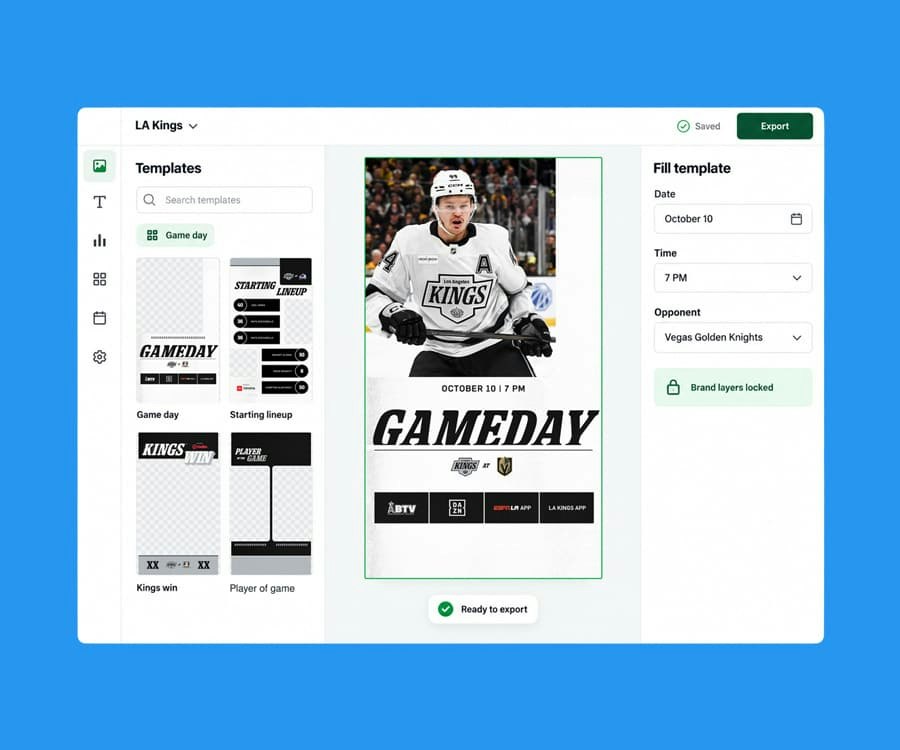
Slate has 10x’d our output and our social media channels are performing better because of the consistency they’ve been able to establish!

Gemma Donahoe
Social Media Producer at Mamamia
Captions
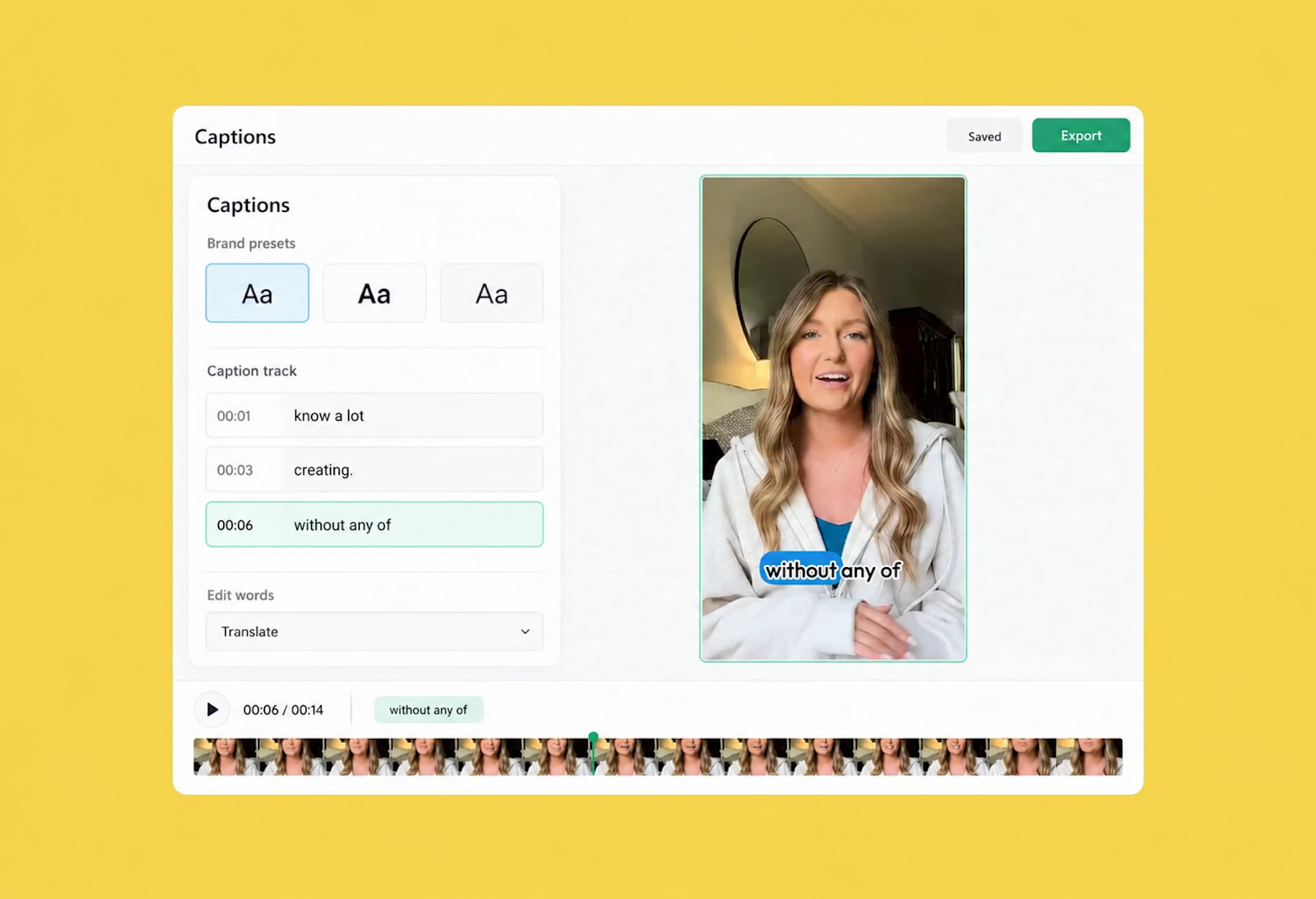
Slate Captions transcribe any clip, style the words in presets your brand owns, translate them for every market, and export with the video or as an SRT. On web and in the Slate mobile app (iOS and Android), for the whole team.

Font, color, outline, highlight, and animation saved as presets by the people who own the brand. The team picks a style; nobody rebuilds captions from scratch.

Translate a caption track into another language in a click and export a version for each audience, with the same brand styling on all of them.

Download captions as an SRT to use anywhere, or bring an edited SRT back in. Captions travel with the video, not just on it.

The Slate mobile app transcribes, styles, and resizes captions on the spot, so a clip from the sideline goes out captioned and on brand.

Transcription that gets names, slang, and crosstalk right far more often than it doesn’t, and a transcript you can edit like a doc when it doesn’t. Fix a word on the canvas or in the transcript and the caption updates. No retyping, no re-render.

Preview Instagram, TikTok, YouTube, LinkedIn, and Snapchat overlays while you place captions, so the words never sit under a button.

Word-by-word pop, bouncing highlights, karaoke fills, boxed lines, the styles that stop a thumb on Reels and TikTok, built as presets in your brand’s fonts and colors. Pick one, it’s on brand, it’s done.

Captions that know what’s on screen. AI emphasizes the words that matter, sizes and times them to the delivery, and places them around the subject instead of over it, tucked behind a head, beside a product, clear of the action. The look creators spend an hour on, from a preset.
“Add captions in our house style.” Rio captions, cuts, and formats your footage on the same timeline, in your brand, from one sentence.
Automatic transcription
Word-level editing
Brand fonts, colors, outlines, highlights
Caption animations
One-click translation
SRT download and upload
Platform safe zones
Denoise before you transcribe
Captions on web and iOS
Dynamic AI Captions: emphasis and subject-aware placement (coming soon)
Slate has 10x’d our output and our social media channels are performing better because of the consistency they’ve been able to establish!
Gemma Donahoe
Social Media Producer at Mamamia

What would have taken days, I finished in just a few hours without sacrificing quality using Slate.

Angela Leaf
Product Communications at Atlassian

It is clear Slate was made by people who understand the needs of social media teams.

Sarah Morse
Director of Social at Vanity Fair

Slate helps our social team move faster without relying on a designer. We’re now producing 5x more videos a week, testing and optimizing in real time.

Chas Truslow
Global Head of Organic Social, Burton at Burton

Slate is a total game changer for our content team

Adena Jones
Director of Social & Digital at New York Knicks

This tool is incredible. This is actually incredible.

Julia Stern
Social Media Lead at Amazon

We did one season without Slate and it changed our lives when we got it.

Daniel Venn
Social Media Manager at St. Louis Cardinals

We couldn’t have done everything we’ve done without Slate. Our social engagement is up across the board, and more of our team can now contribute creatively.

Slate helps us move fast. When the Knicks won the NBA Championship, I captured their return to New York and edited it in Slate. FOS was first to post, and that speed made all the difference.

Christine Thuruthiyil
Director, Social at Front Office Sports

Slate is a tool that allows us to move very quickly and on brand when it comes to social creation.
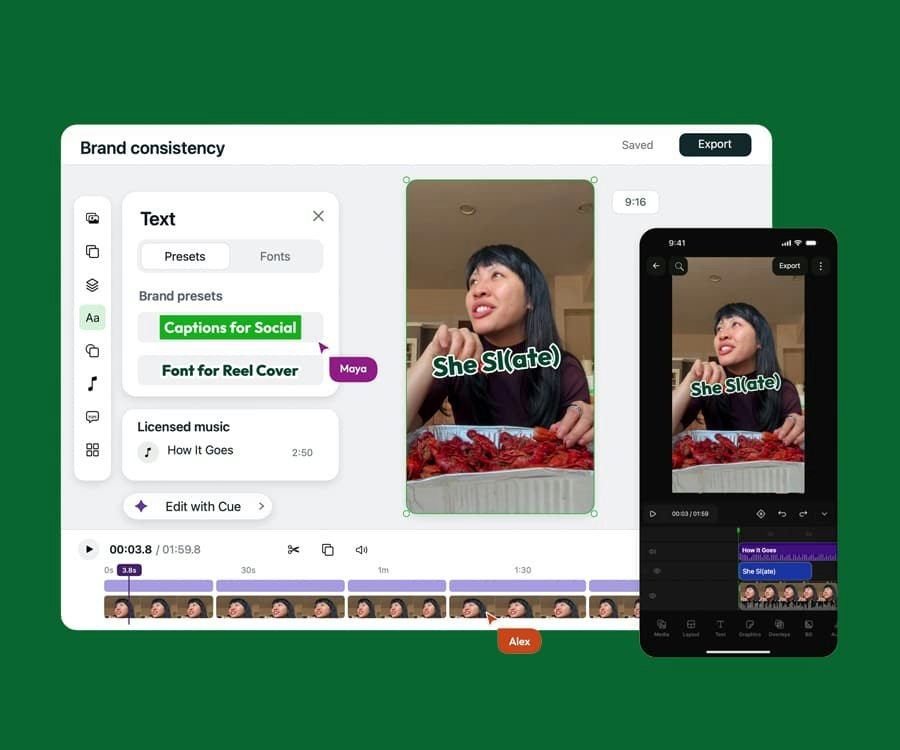
Video and graphics in one on-brand editor with AI built in, on desktop and mobile. Built for the pace of social.
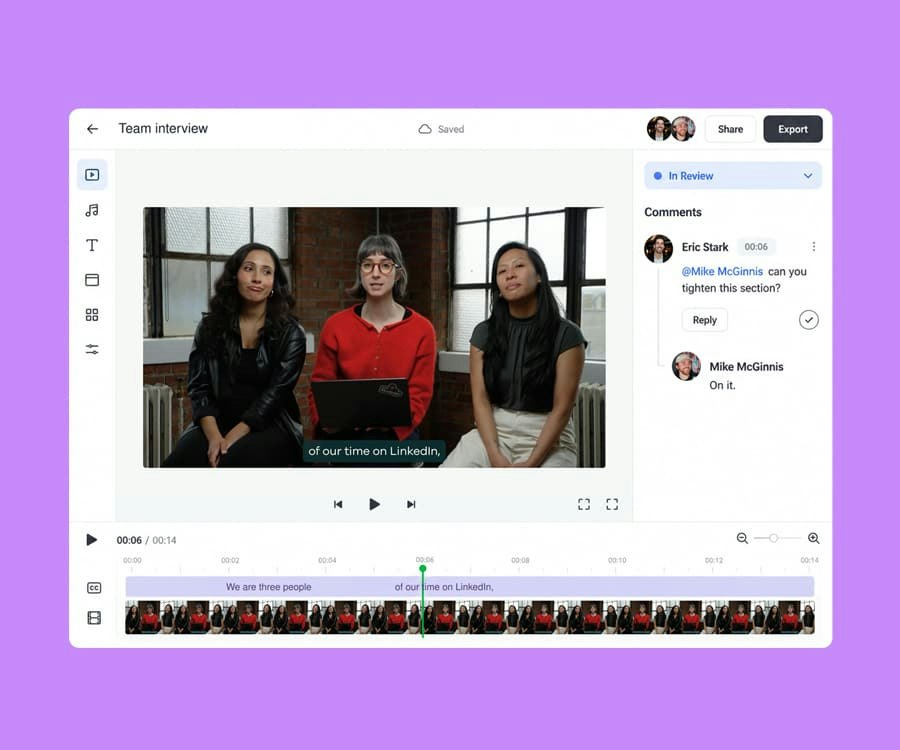
Shared projects, external review links, frame-level comments, statuses, and approvals, all where the content gets made.
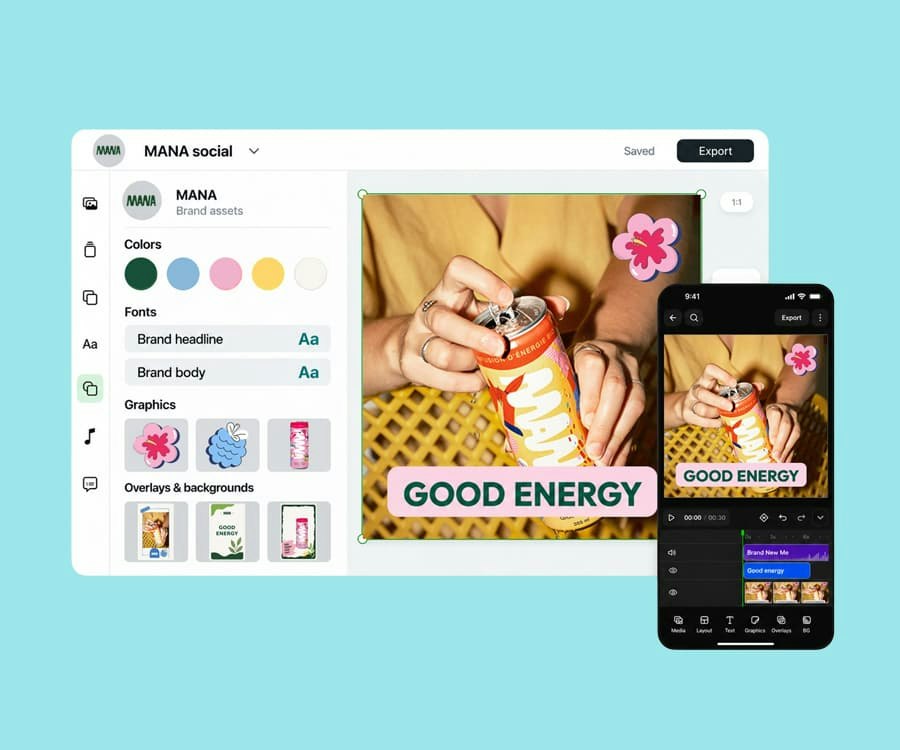
Fonts, colors, templates, presets, and licensed audio in one place, applied automatically in every project.
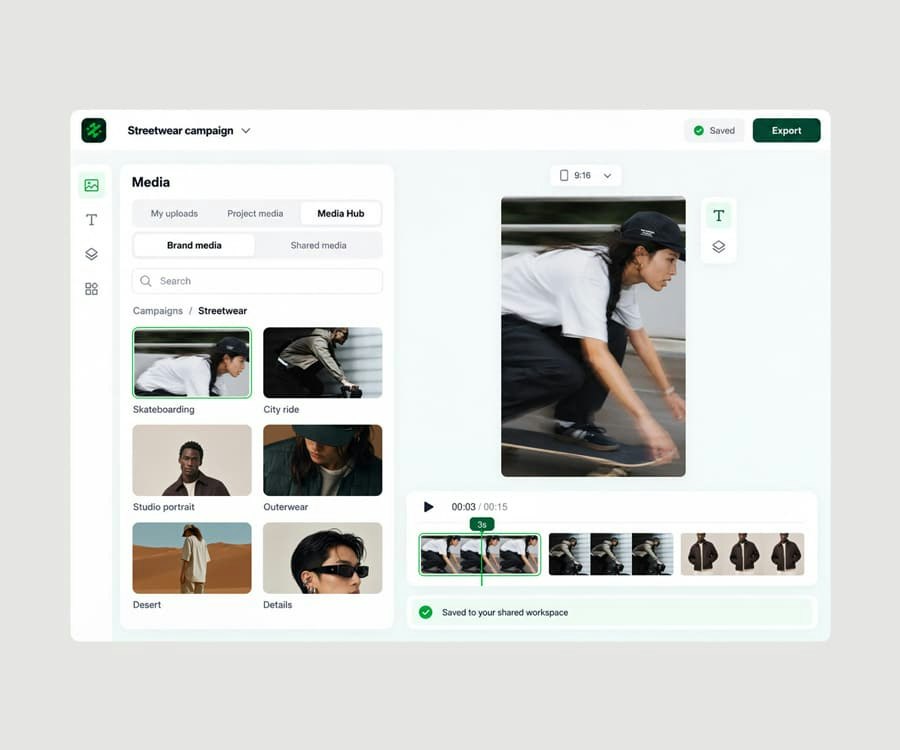
A shared media library, connected to your sources, one click from every project.
Try Slate for free and see how quickly your team can go from idea to publish.