Slate has 10x’d our output and our social media channels are performing better because of the consistency they’ve been able to establish!

Gemma Donahoe
Social Media Producer at Mamamia
Collaboration
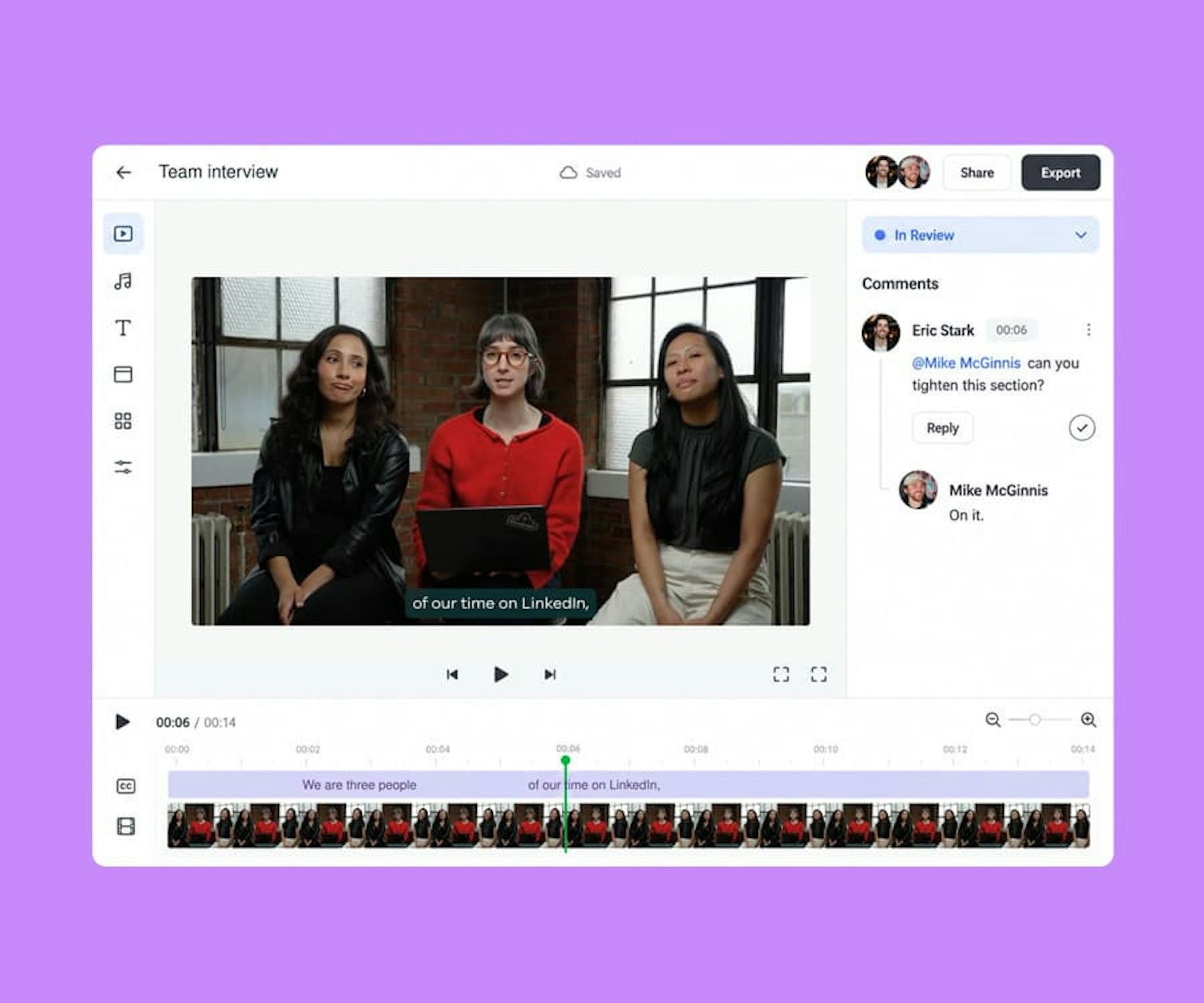
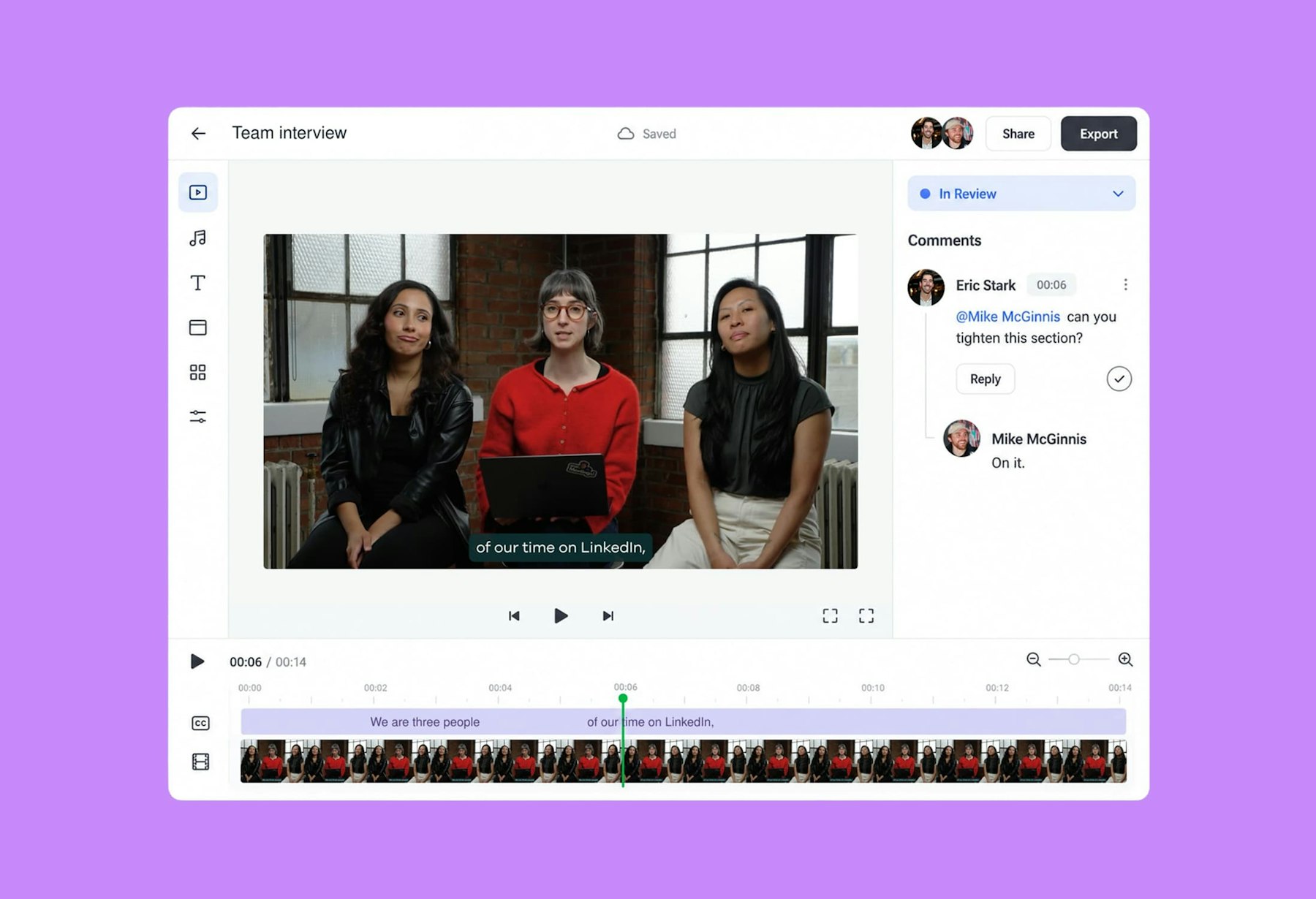
Slate’s collaboration tools keep the whole team, and anyone outside it, in one shared project: cloud-saved work, external review links, comments pinned to the exact frame, @mentions, project statuses, Editor and Viewer access, and approvals from the Slate mobile app. The post gets better without the file ever leaving Slate, and without a second tool to review it in.

Every project autosaves and can be shared with the whole account or specific people. See the latest version, see who’s in it, and stop sending files back and forth.

Clients, agencies, athletes, execs, legal: send one link and they review the live project in the browser, no Slate seat, no download, no re-export. Comments land on the exact frame and the fix happens in place. The round-trip that used to need Frame.io, email, and a shared drive is one link.

Leave feedback directly on the canvas, or attach it to a time range on the video timeline. Reply, react, @mention a teammate, resolve the thread when it’s done.

In Progress, In Review, Needs Revision, Approved, Posted. Set it in the project or from the homepage, and everyone knows where every piece stands without asking.

Give the whole team view access and a couple of people edit access. One person edits at a time; anyone with Editor access can take over when it’s their turn.

From the Slate mobile app, send a post to one or more content reviewers with a note. They approve or reject with feedback, and you get the result by email before anything goes out.

@mention someone and they get an in-app notification and an email with a direct link to the comment. No more “did you see my note?”

Ask Rio for a first cut, then leave the cleanup, the comments, and the approvals to the team, all in one place. The AI makes the first pass; your people make the call.
External review links, no seat required
Autosave and cloud sync
Shareable project links
Account-wide or per-person sharing
Canvas and timeline comments
@mentions with in-app and email alerts
Five project statuses
Take-over editing control
Content reviewer role
Account default: private or shared
Slate has 10x’d our output and our social media channels are performing better because of the consistency they’ve been able to establish!
Gemma Donahoe
Social Media Producer at Mamamia

What would have taken days, I finished in just a few hours without sacrificing quality using Slate.

Angela Leaf
Product Communications at Atlassian

It is clear Slate was made by people who understand the needs of social media teams.

Sarah Morse
Director of Social at Vanity Fair

Slate helps our social team move faster without relying on a designer. We’re now producing 5x more videos a week, testing and optimizing in real time.

Chas Truslow
Global Head of Organic Social, Burton at Burton

Slate is a total game changer for our content team

Adena Jones
Director of Social & Digital at New York Knicks

This tool is incredible. This is actually incredible.

Julia Stern
Social Media Lead at Amazon

We did one season without Slate and it changed our lives when we got it.

Daniel Venn
Social Media Manager at St. Louis Cardinals

We couldn’t have done everything we’ve done without Slate. Our social engagement is up across the board, and more of our team can now contribute creatively.

Slate helps us move fast. When the Knicks won the NBA Championship, I captured their return to New York and edited it in Slate. FOS was first to post, and that speed made all the difference.

Christine Thuruthiyil
Director, Social at Front Office Sports

Slate is a tool that allows us to move very quickly and on brand when it comes to social creation.
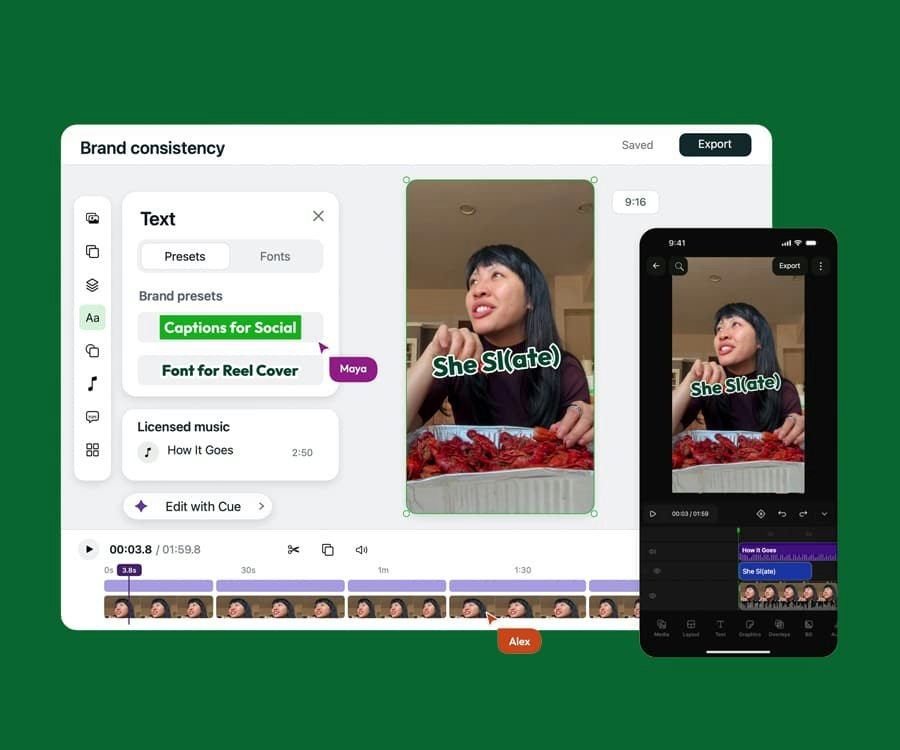
Video and graphics in one on-brand editor with AI built in, on desktop and mobile. Built for the pace of social.
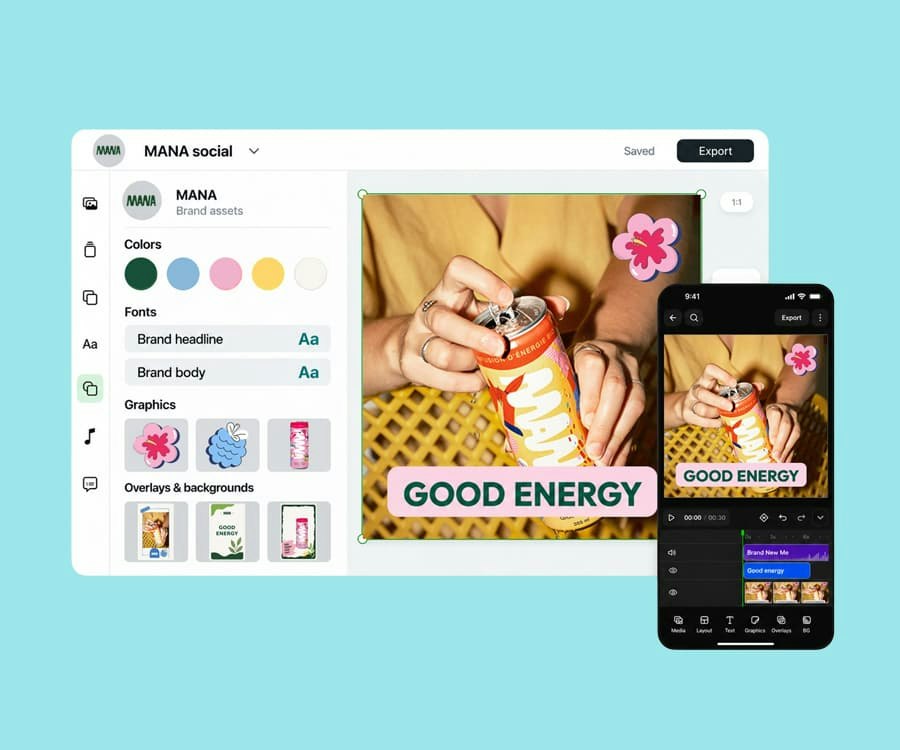
Fonts, colors, templates, presets, and licensed audio in one place, applied automatically in every project.
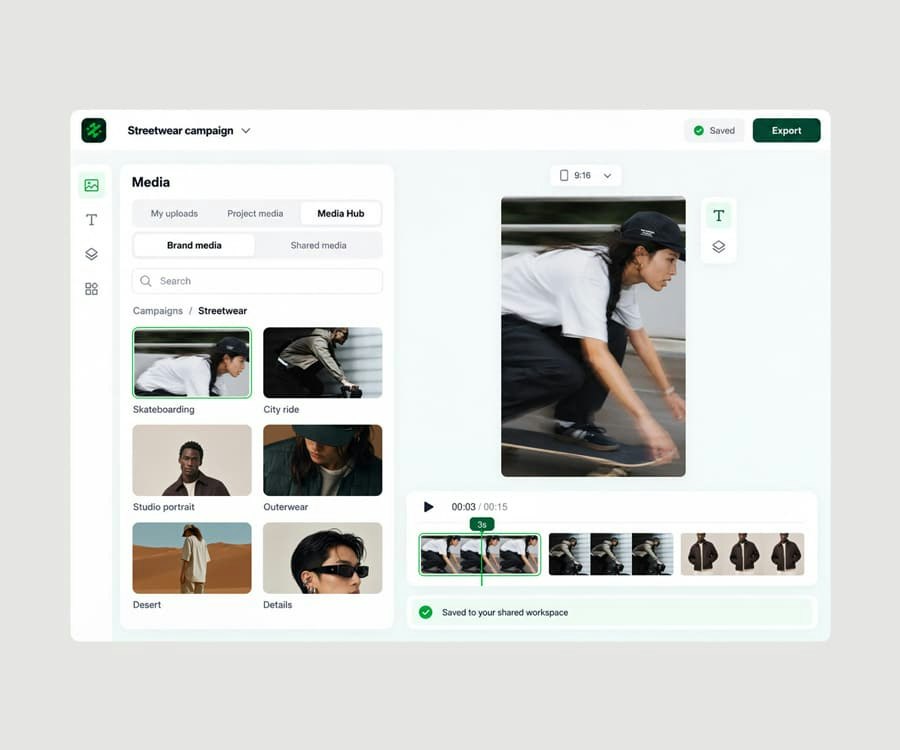
A shared media library, connected to your sources, one click from every project.
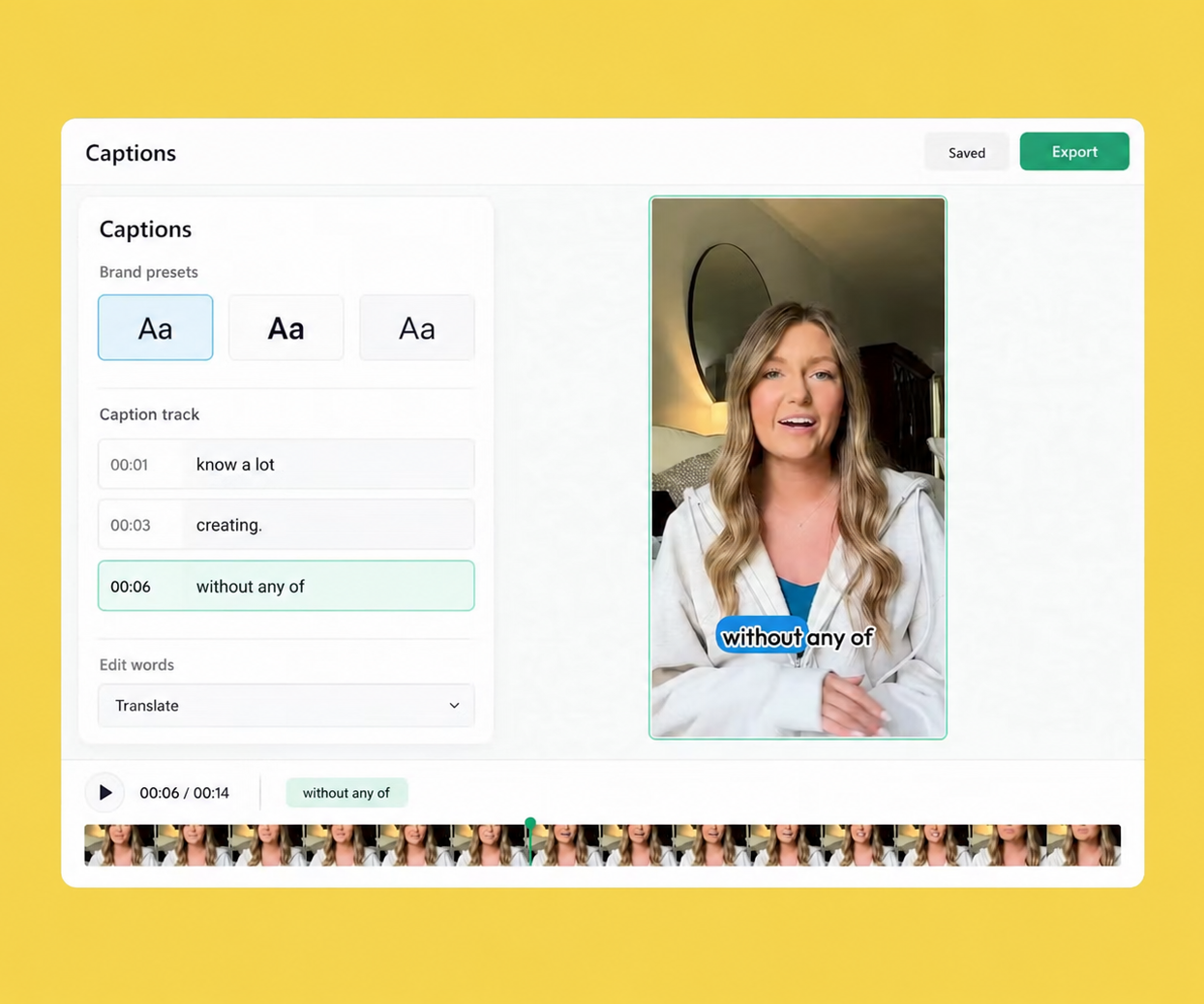
Auto-captions styled by your brand presets, translated for every market, exported with the video or as SRT.
Try Slate for free and see how quickly your team can go from idea to publish.