Slate has 10x’d our output and our social media channels are performing better because of the consistency they’ve been able to establish!

Gemma Donahoe
Social Media Producer at Mamamia
Media Hub
New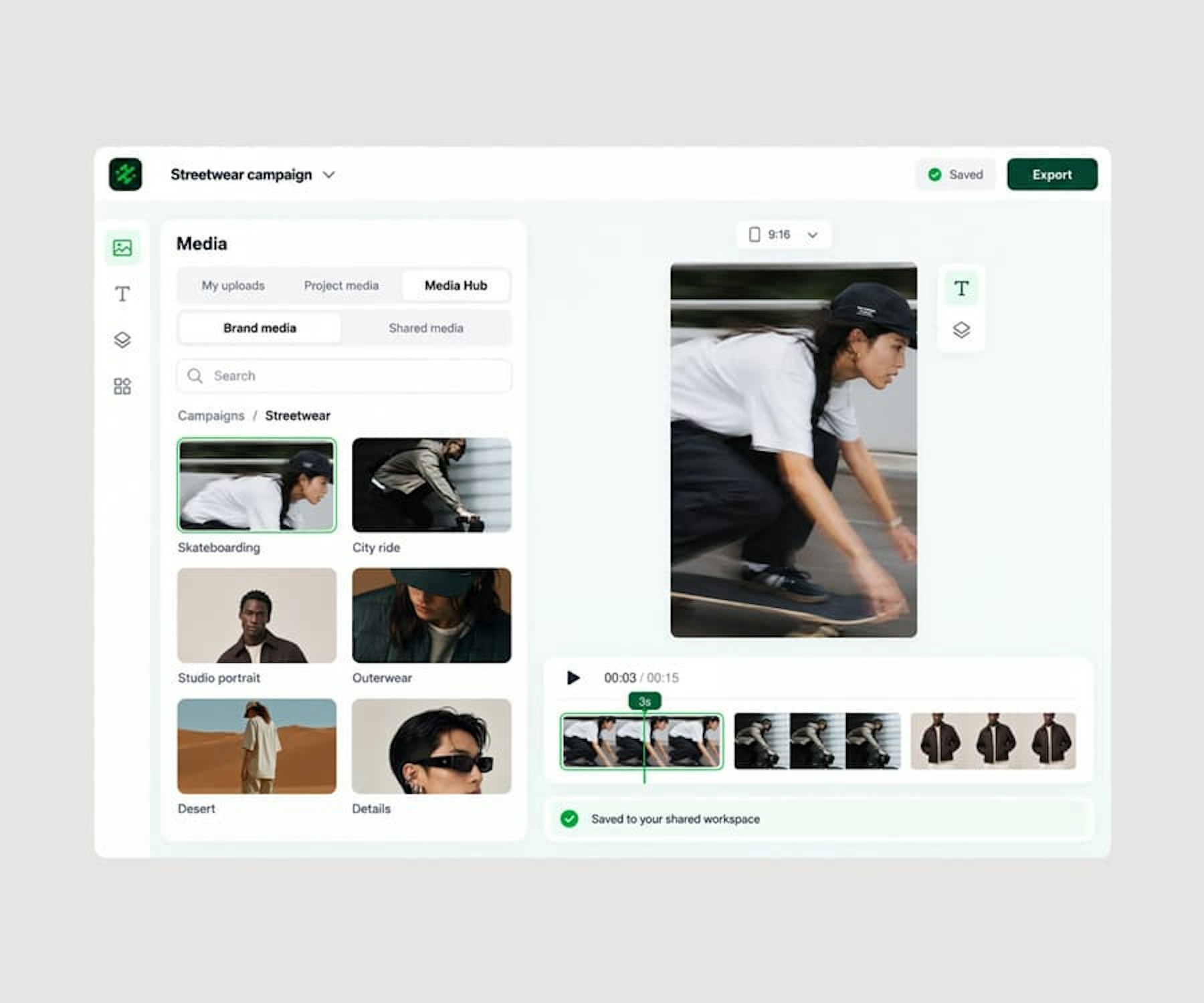
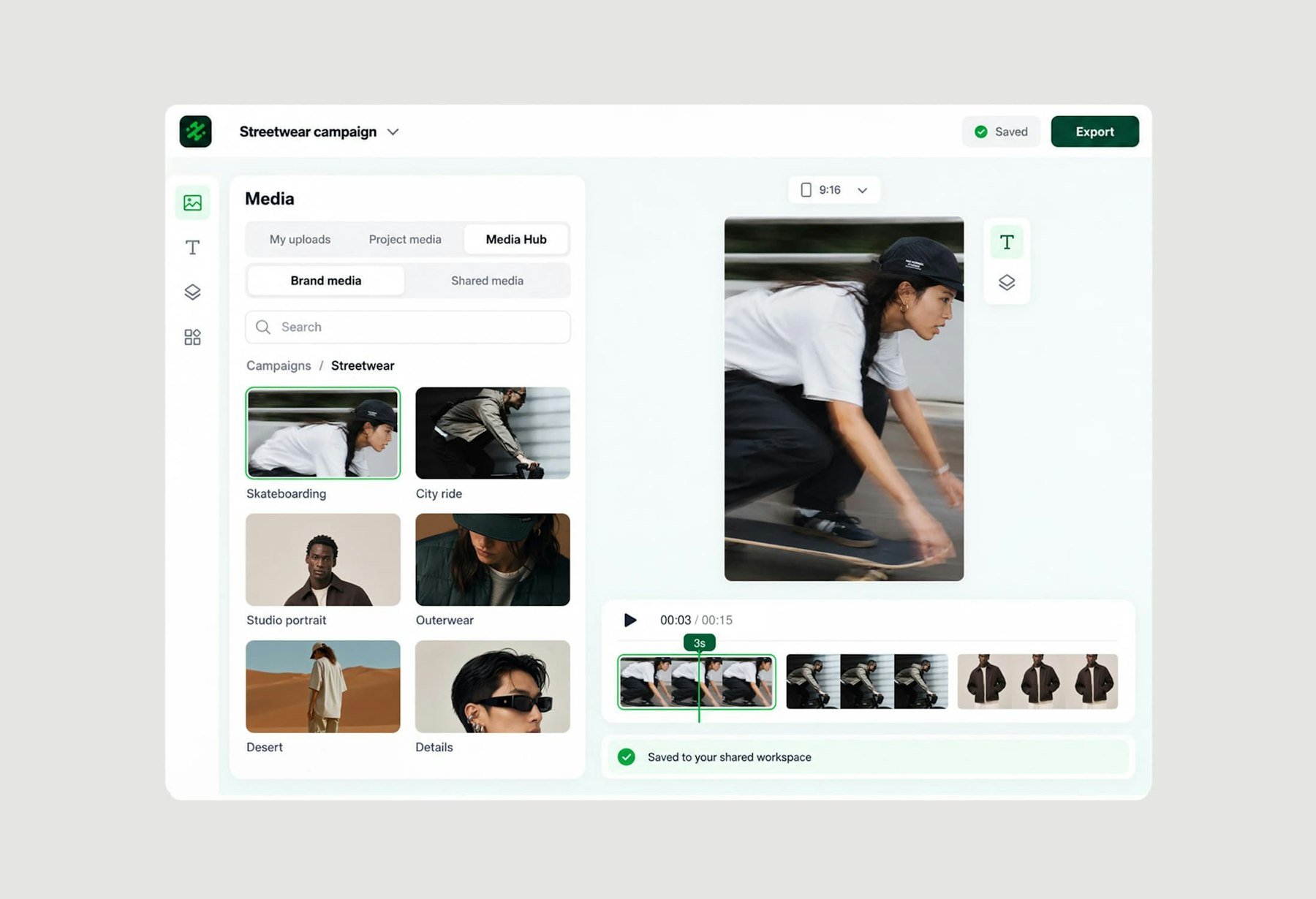
Media Hub is the shared media library inside Slate. Upload once, organize by folder and campaign, search by term, and pull photos and video straight into any project on web or in the Slate mobile app (iOS and Android). Connected to Getty Images, PhotoShelter, Greenfly, Slack, and Sprout Social, with AI search across everything you’ve shot coming soon.

Add your clips to a project and describe the edit. Rio cuts your real footage on a real timeline, in your brand, and the result lands back in the same shared workspace.

Slate’s AI will look at every clip and photo in your Media Hub and make it searchable by what’s in it: the people, the moments, the words spoken. Ask for “the goal celebration” or “every time she mentions the launch” and it finds the frame. No tagging, no filenames, no scrubbing.

Upload photos and video once and everyone can find them. Folders, previews, and search terms replace the shared drive, the group chat, and the “can you send me that clip” text.

Open any project on web or mobile and drop in media from the hub without downloading, re-uploading, or AirDropping anything. The footage is already where you create.

Bring media in from sources like Google Drive, Dropbox (coming soon) Getty Images, PhotoShelter, Scoreplay, and Slack, and push finished content to publishers like Sprout Social. Fewer downloads, fewer tabs, fewer mistakes.

Every piece of content created in Slate get's saved back to your Media Hub so the whole team can see what went out and repurpose it.

Any footage you drop into a shared projects gets autosaved back to your team's media hub. That means no more searching iPhones or old Slack threads to find social clips. They are all indexed and searchable automatically so your media library grows the more you edit in Slate.

Clear storage per workspace, folders per team or property, and asset limits you can see, so a 150-person newsroom and a two-person social team both stay organized.
Bulk upload of photos and video
Folders and subfolders
Search terms and filters
In-browser preview
Getty Images integration
PhotoShelter integration
Greenfly integration
Slack integration
Sprout Social publishing
Content Hub archive
Media Hub in the iOS app
AI auto-tagging and visual search (coming soon)
Slate has 10x’d our output and our social media channels are performing better because of the consistency they’ve been able to establish!
Gemma Donahoe
Social Media Producer at Mamamia

What would have taken days, I finished in just a few hours without sacrificing quality using Slate.

Angela Leaf
Product Communications at Atlassian

It is clear Slate was made by people who understand the needs of social media teams.

Sarah Morse
Director of Social at Vanity Fair

Slate helps our social team move faster without relying on a designer. We’re now producing 5x more videos a week, testing and optimizing in real time.

Chas Truslow
Global Head of Organic Social, Burton at Burton

Slate is a total game changer for our content team

Adena Jones
Director of Social & Digital at New York Knicks

This tool is incredible. This is actually incredible.

Julia Stern
Social Media Lead at Amazon

We did one season without Slate and it changed our lives when we got it.

Daniel Venn
Social Media Manager at St. Louis Cardinals

We couldn’t have done everything we’ve done without Slate. Our social engagement is up across the board, and more of our team can now contribute creatively.

Slate helps us move fast. When the Knicks won the NBA Championship, I captured their return to New York and edited it in Slate. FOS was first to post, and that speed made all the difference.

Christine Thuruthiyil
Director, Social at Front Office Sports

Slate is a tool that allows us to move very quickly and on brand when it comes to social creation.
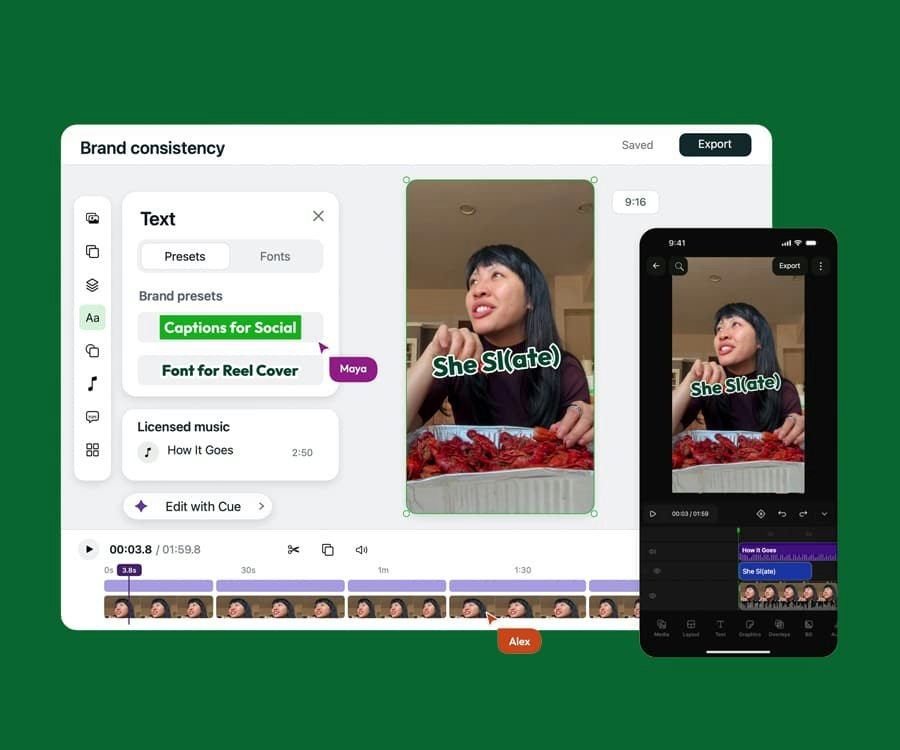
Video and graphics in one on-brand editor with AI built in, on desktop and mobile. Built for the pace of social.
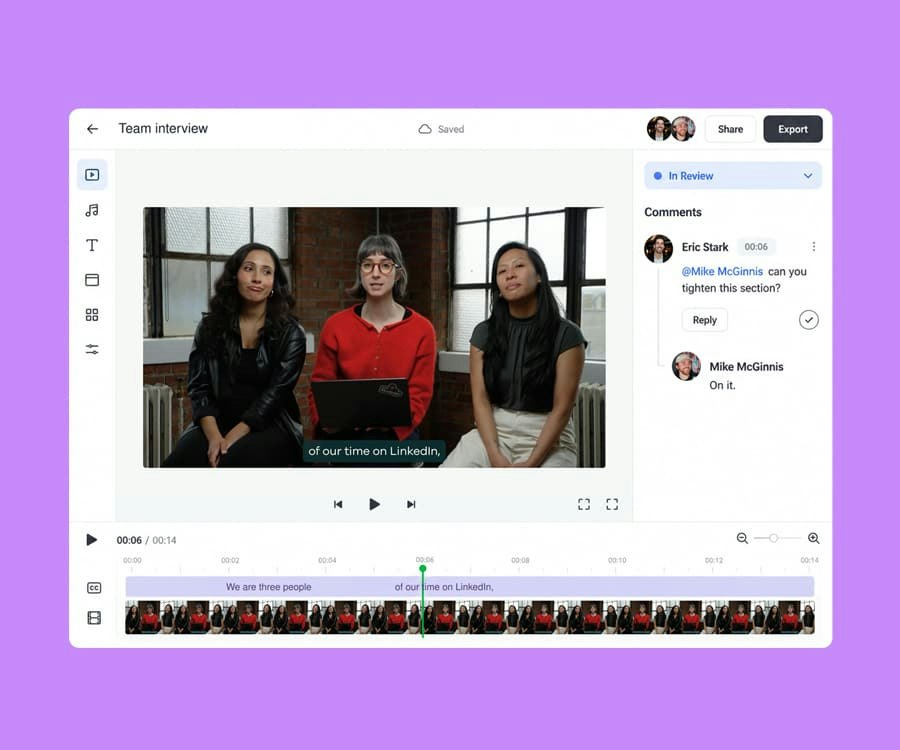
Shared projects, external review links, frame-level comments, statuses, and approvals, all where the content gets made.
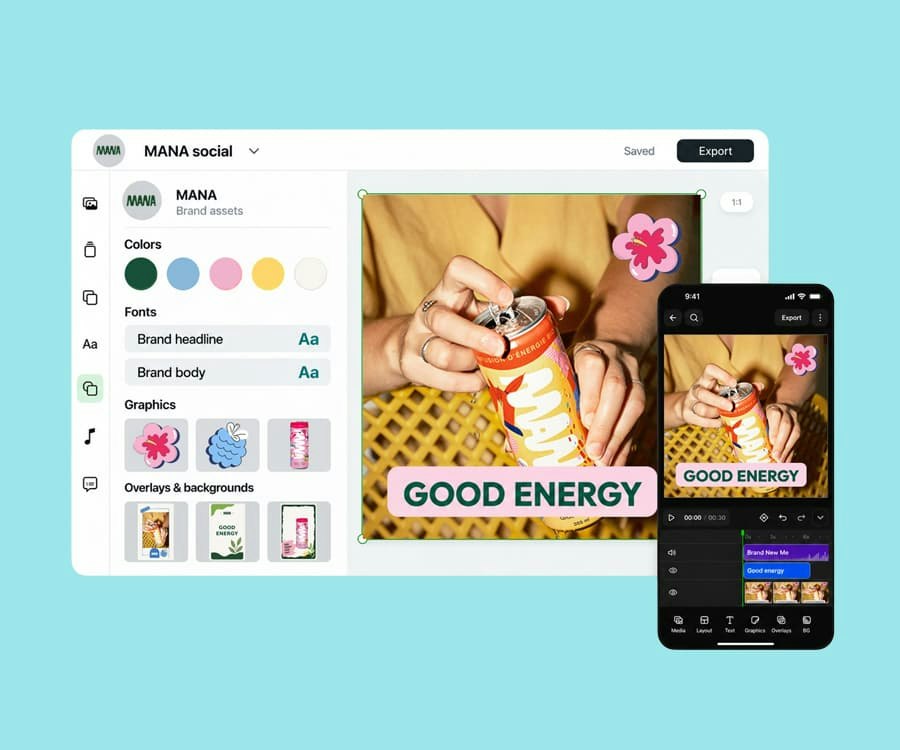
Fonts, colors, templates, presets, and licensed audio in one place, applied automatically in every project.
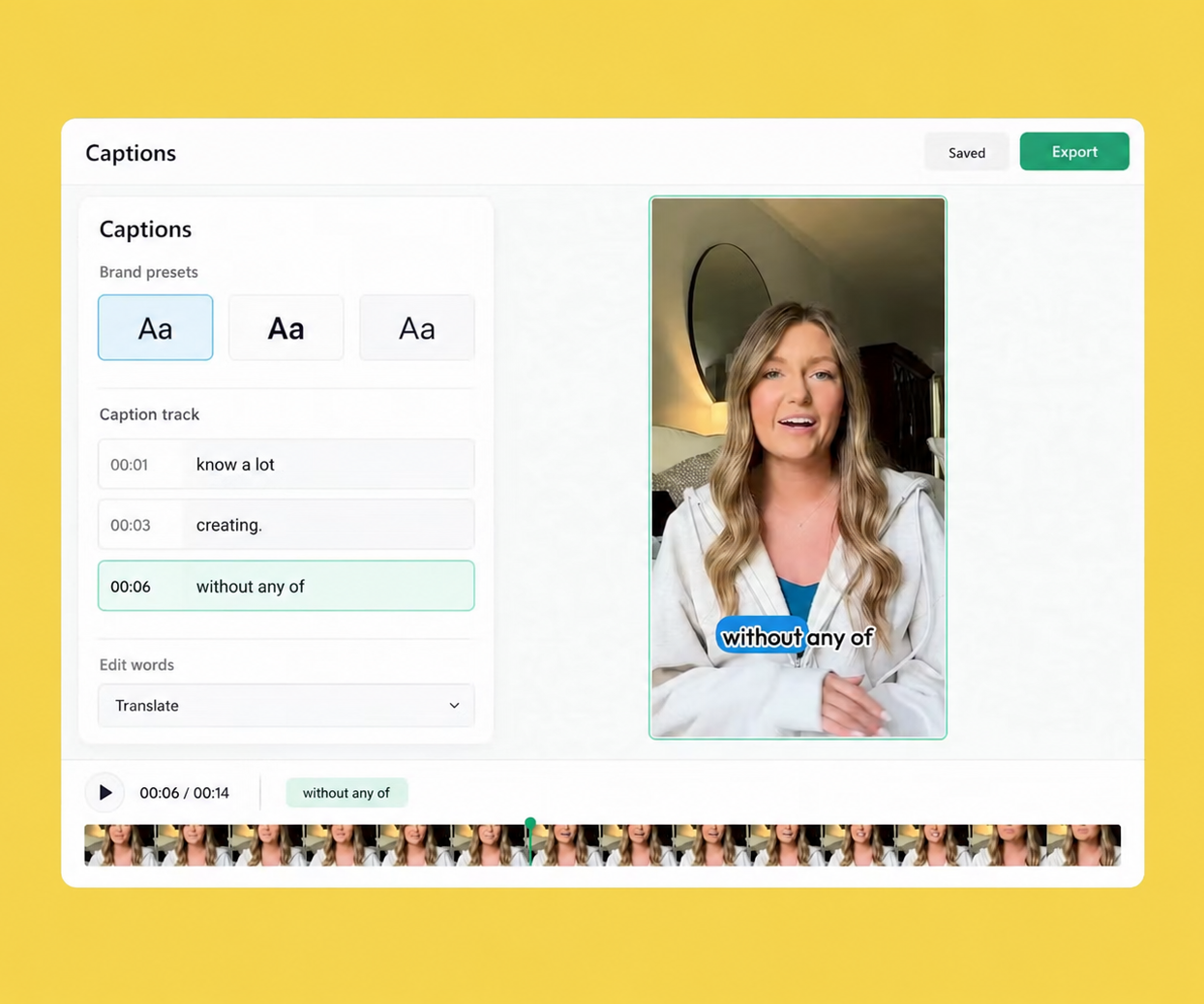
Auto-captions styled by your brand presets, translated for every market, exported with the video or as SRT.
Try Slate for free and see how quickly your team can go from idea to publish.