Slate Team
April was about giving every team access to collaboration, more control over your exports, and creative tools that used to require leaving Slate. Here's what shipped.
Shared Projects — Now Live for Everyone
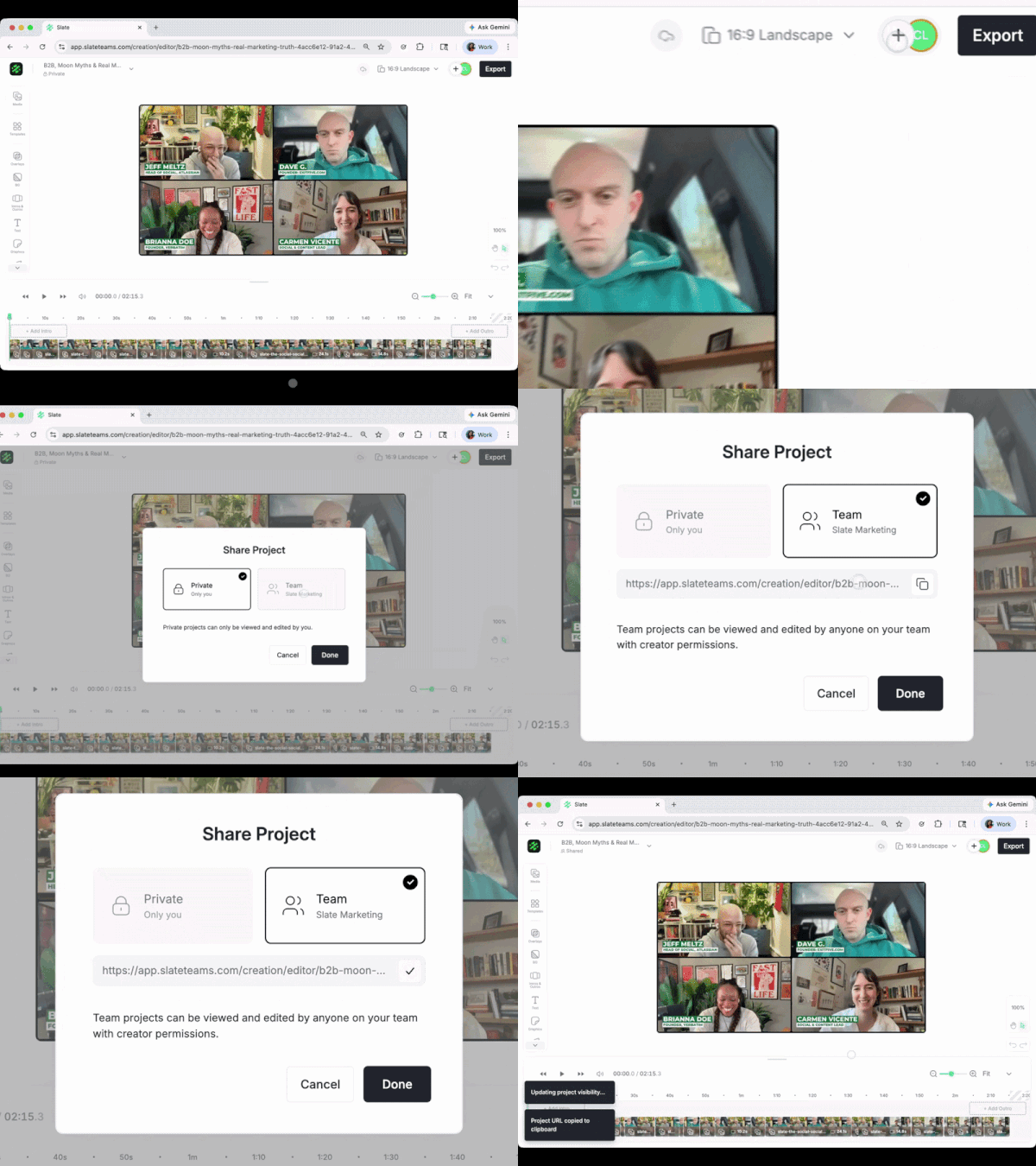
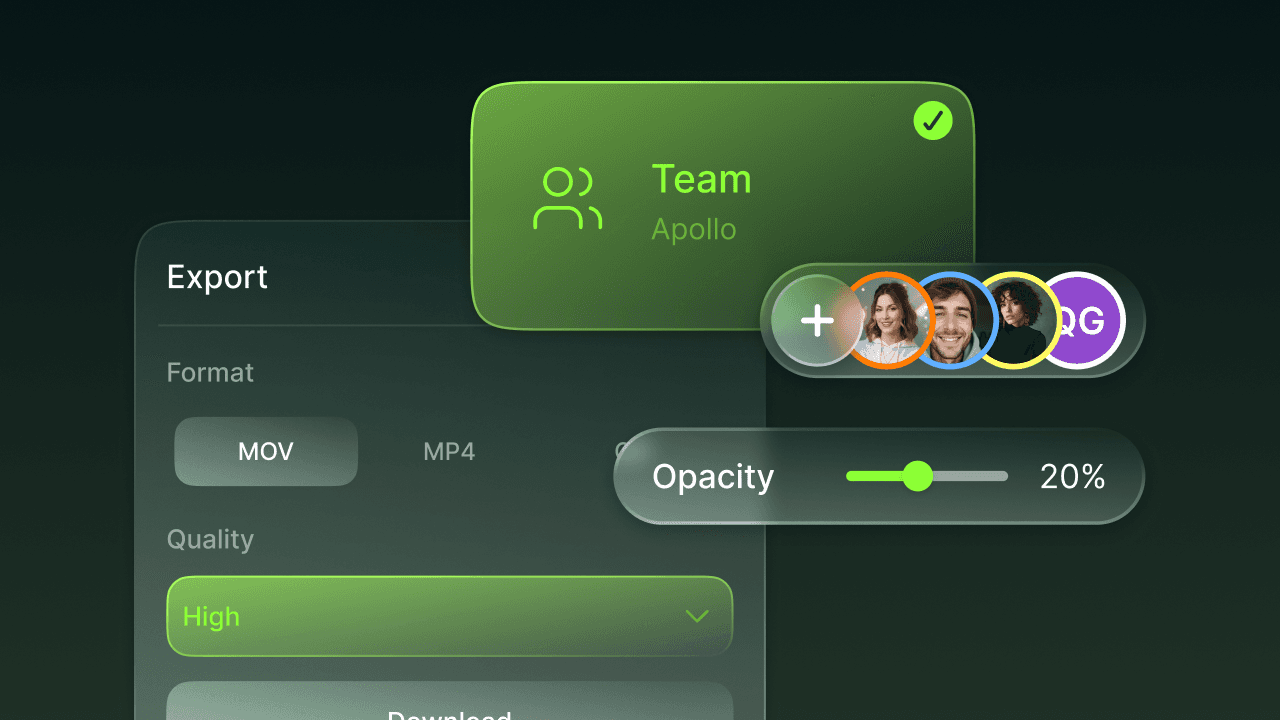
You can now share projects with your team and collaborate on the same content—no exporting, no re-uploading, no version confusion. Set a project as shared or private, and anyone on your account can pick it up and keep going.
For teams where content passes through multiple hands—social managers handing off to designers, producers starting clips that editors finish—this is the update that removes the most back-and-forth from your week.
Export Resolution Control
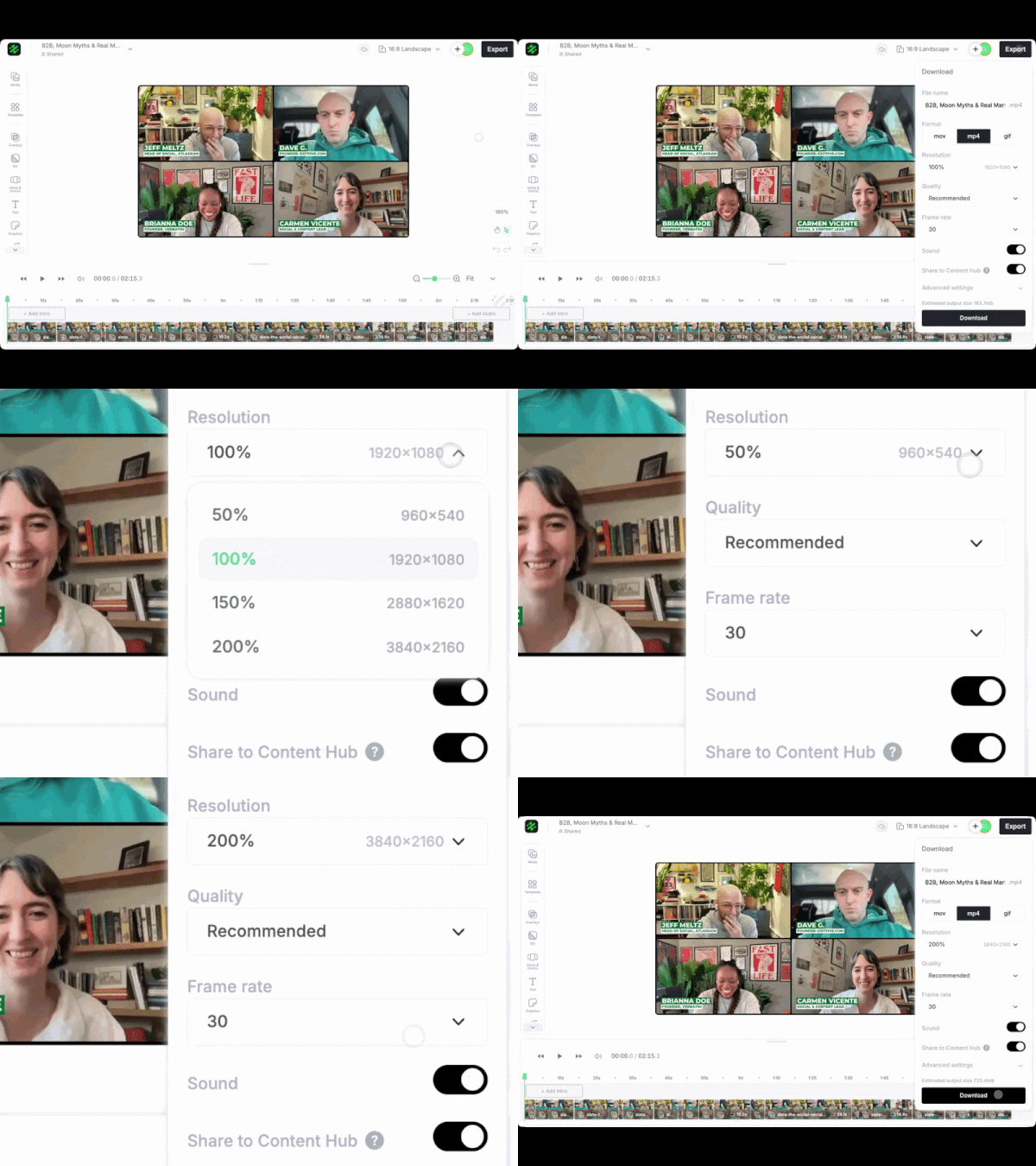
Choose your output resolution before exporting from the web editor.
If you're posting the same content across Instagram feed, Stories, LinkedIn, and your website, those platforms want different quality levels. Instead of exporting once and hoping it works everywhere, or re-exporting at different settings, you set the resolution you need and move on.
Opacity Control

Adjust the transparency of any image or graphic directly on the canvas.
Faded backgrounds, overlay stacking, watermark-style layering—anything that used to mean opening Photoshop for a quick transparency tweak now happens mid-edit in Slate. Combined with the refreshed context menu (grouped icons, tooltips, cleaner layout), the canvas editing experience feels meaningfully faster.
Also Shipped
Brand colors in the editor—your brand palette now shows up in every color picker across the web editor (fill, highlight, stroke, shadow, font drawers), so you stay on-brand without switching tabs or memorizing hex codes. Font picker sorts by your pinned order too.
Text preset duplication—clone any existing text preset on Brand Hub or Collections and tweak one setting instead of rebuilding from scratch.
Multi-select improvements on Brand Hub—select multiple assets more intuitively for bulk actions like organizing, deleting, or moving.
Brand Hub polish—tighter form spacing, slider-based opacity controls, tooltips on font size / letter spacing / line height / text casing, and unified "Add / Edit" naming across all asset screens.
April was about more control in the places you already spend your time. Less switching between tools, more staying in the flow.